
More than a POS.
Your entire shop, Connected
Most repair software is a POS with modules bolted on a different tool for every job, none of them talking to each other. Refloww runs the whole shop from one system: front counter, repairs, check-in kiosk, purchasing, payroll, protection plans, and prepaid services.
No duct-taped subscriptions. No double entry.
Everything below is live in beta right now.
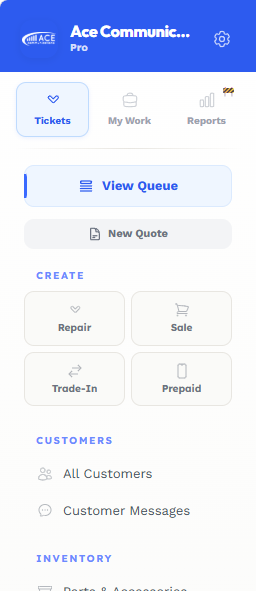
refloww Navigation
The Backbone of Faster Workflows
Move through the system quickly and effortlessly with navigation designed to keep every feature, tool, and action within easy reach.
Everything you need is organized into four navigation menus, all in one place.
Tickets
My Work
Reports
Settings
reflowwTickets
A Workflow Built for Every Ticket Type
Refloww handles each ticket type differently, guiding it through the steps, actions, and people needed to reach a resolution.
What's different?
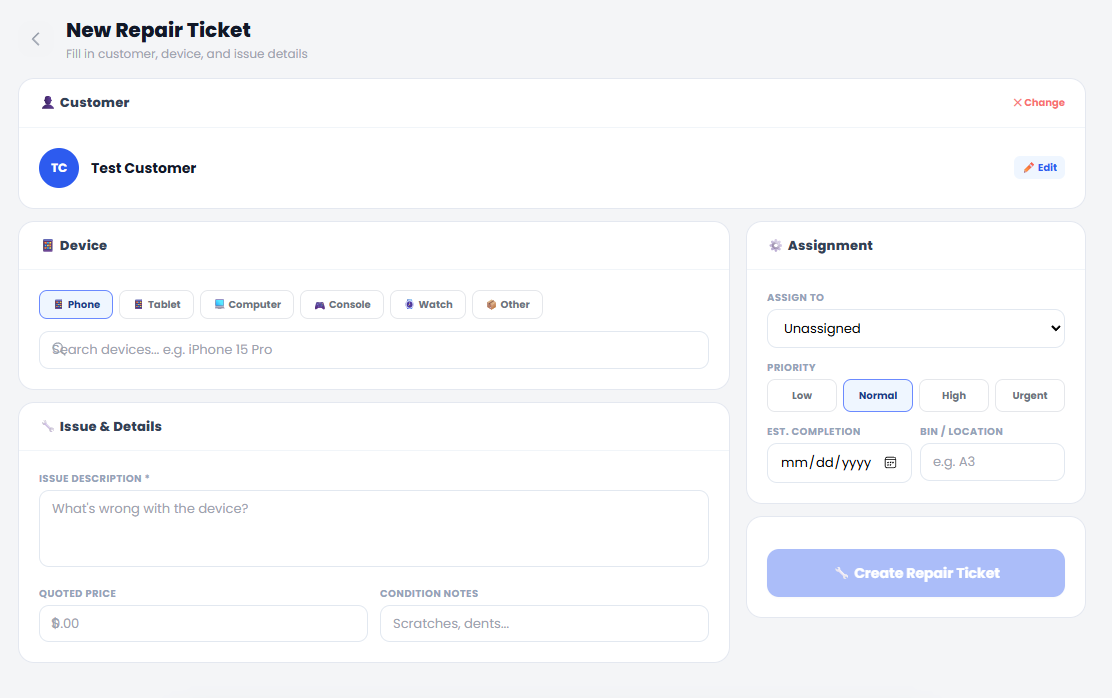
Repair Ticketing System
Every repair ticketing system handles the basics like creating tickets, tracking repairs, updating customers, and collecting payment. Refloww does those things too. The difference is what happens beyond the ticket
Contact roledex
Refloww saves every contact number and requires employees to confirm the best number for each repair.
Keep Device Until Parts Arrive
When parts are not in stock, the customer can keep their device until they arrive. When the customer returns, Refloww guides the employee through receiving the device and continuing the existing repair ticket.
Ticket Groups
Ticket Groups let you create repair tickets for multiple devices under the same customer and keep them organized in the same bin. Each ticket can be paid separately, or the entire group can be paid at once.
Pre-Tech & Post Tech Testing
Protect every repair with built-in pre-repair and post-repair testing. For even deeper diagnostics, explore our exclusive wireless, no-USB testing suite powered by DeviceTest. ;)
What's different?
Sale Ticketing System
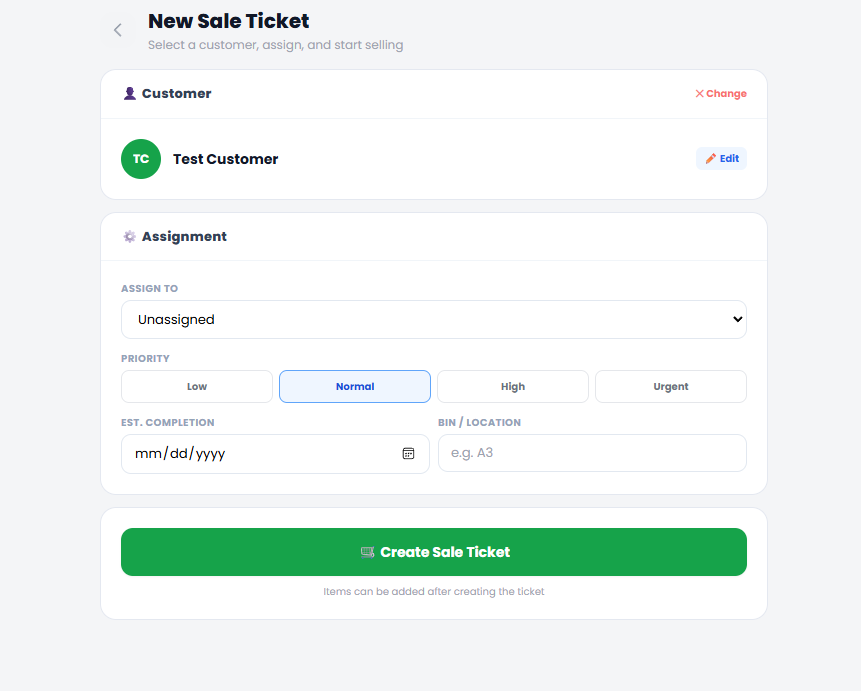
Every POS can ring up a sale. Refloww does that too, but Sales Tickets also guide the employee through the full process, keeping the customer, products, payments, and required next steps connected in one workflow.
Location Assignment
Sometimes a sale does not end at checkout. Refloww lets you assign a bin location to special orders and pickup items, keeping everything organized until the customer returns.
Create Trade-ins
The only system you can create a trade-in device / ticket and it adds the trade-in credit and device directly to the sale ticket...... fun fact you can also do this with repair tickets ;)
Order Tracking
Add items you need to order directly to the ticket, and automatically add them to your order que....also somthing you can do with repair tickets ;)
What's different?
Trade-in System
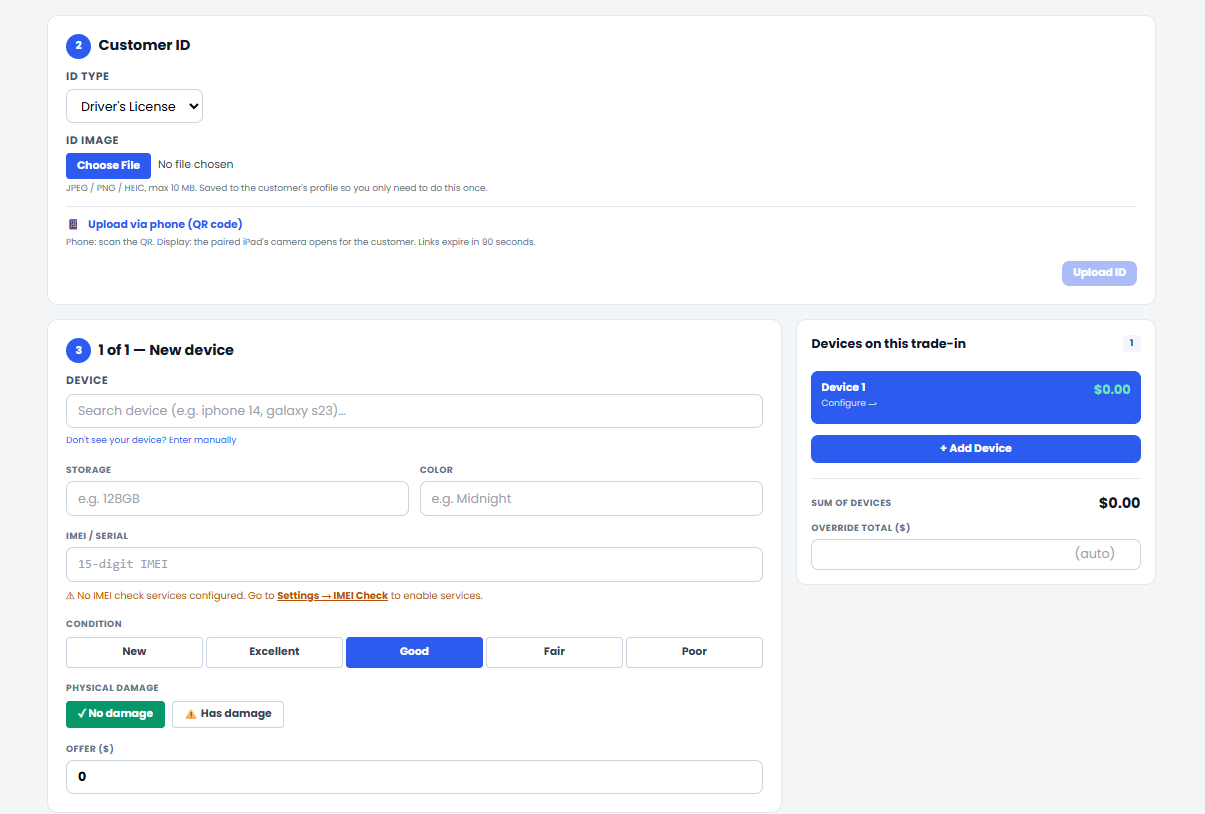
Every system can record a trade-in. Refloww does that to, but it also guides employees through the full process, keeping device details, condition, value, customer approval, and inventory connected from start to finish.
Upload ID Via QR Code
Save time and skip the fuss of having to upload the ID to your POS system. Simply scan a QR code from your phone, take a picture and upload
IMEI Check Built In
Making sure the device is not only clean but isn't financed is key. Check the IMEI of the device you buy inline right with the trade-in form. Powered by Sickw & IMEICHECK.com
Multiple Trade-in Support
Creating multiple trade-in tickets one at a time is a thing of the past. With refloww you can now add multiple devices to one trade-in ticket saving you time with a lobby full of customers.
Damage Recording
Ever recorded a trade-in only to discover an employee missed a cracked screen or other damage? refloww makes that a thing of the past. Every trade-in ticket includes a required damage indicator that must be completed before the process can continue.
What's different?
Prepaid Tcket System
Every prepaid system can process activations and renewals. Refloww does that too—but it also connects each transaction to the device, SIM, carrier workflow, and employee commission, keeping everything tracked from activation to payout.
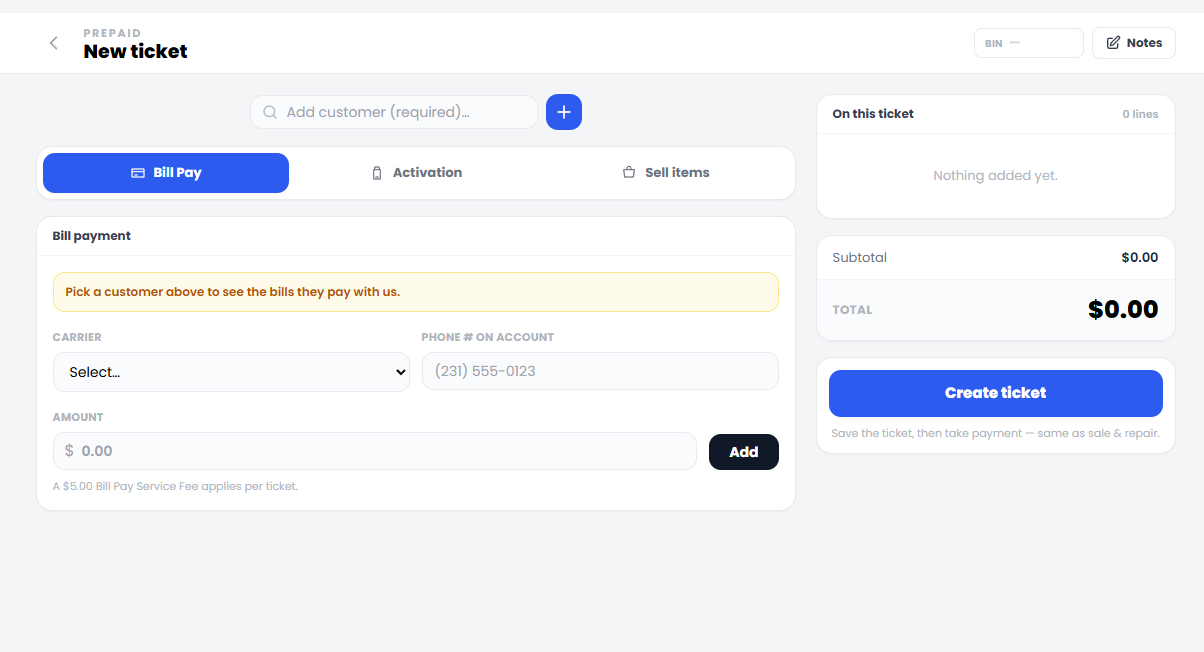
Plan Manager
Manage all of the plans you offer in once place. Choose whether the plan is a bill payment, activation or both
Carrier Reconciliation Tracking
Record your master agent’s kickbacks, spiffs, and promotional device payouts to make sure you are paid everything you are owed.
Promo Device Tracking
Create and track promotional devices from the carriers you activate. Apply one to an activation, and refloww automatically selects the carrier and plan, then calculates the customer’s price using the promotion settings.
Bill Payment Tracking & History
When a customer pays a bill, simply enter their phone number, select the customer, and Refloww pulls up the plan or plans they paid previously. Select Pay, and you’re done—no searching notes, guessing, or asking what they paid last time.
Auto Add Bill-pay & Activation Fee
Refloww can automatically add bill-pay and activation fees based on your settings, helping employees charge the correct amount every time without adding fees manually.
Employee Management
Everything You Need to Manage Your Staff
Manage employee profiles, roles, permissions, schedules, performance, and activity from one centralized place. Give every team member the right level of access while keeping your staff organized and your business running smoothly.
User Management
-
Add New Employees
-
Assign Custom Permissions
-
Payroll
-
Direct Deposit - BETA
-
SOOOO Much More
Time Clock
-
Clock-In & Clock-Out
-
Auto Clock-Out
-
Time Clock Manager
-
Time Clock Log
-
SOOOO Much More
Scheduling
-
Scheduling Manager
-
Call-in Reporting
-
Time-Off Requests
-
Right Click Copy & Paste
-
SOOOO Much More
Task Manager
-
Task Assignment
-
Task Scheduling
-
Sub Tasks
-
Require Approval
-
SOOOO Much More
Team Updates
-
Popup Updates
-
Record who's seen the updates
-
Video & Picture Updates
-
Role Base Updates
-
SOOOO Much More
Employee Reviews
-
Record Monthly Performance
-
Set Followups
-
Record Written Feedback
-
Save Review to Employee File
Disciplinary Actions
-
Set Point Threshold
-
Set Dropoff Time Frame
-
Create custom Infractions
-
Auto Termination Feature
-
SOOOO Much More
Other Stuff
-
Deposit Log
-
Register Management
-
System Log
The Pricing Matrix System
Update All Repair and Parts Pricing at Once
Quickly update pricing across all repair services and parts from one centralized matrix. Make changes once, and every connected price updates automatically for faster, more accurate pricing.
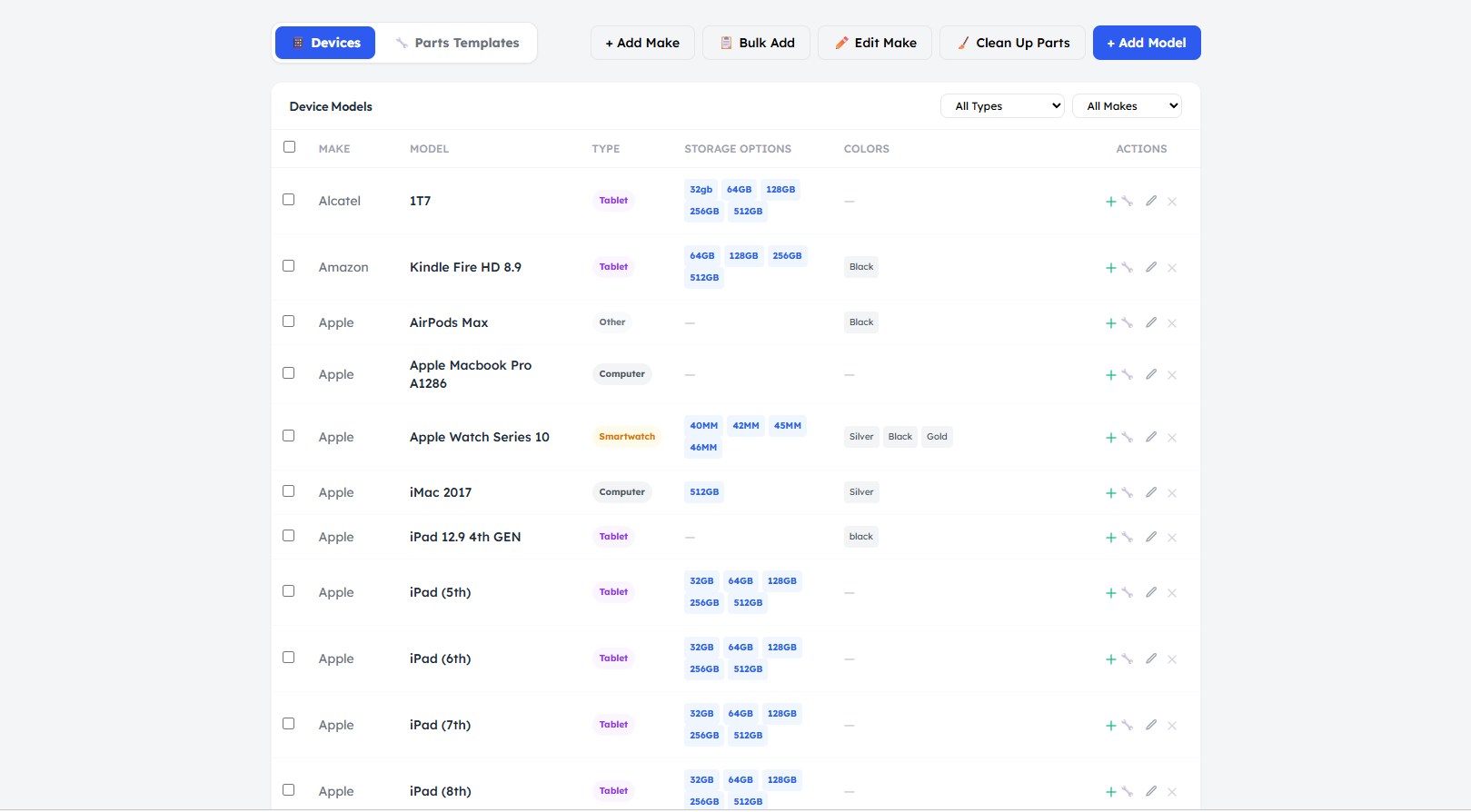
Device Manager
Manage every device you repair and sell from one central place. Device Manager stores the device information your system uses across repairs, inventory, pricing, and sales.
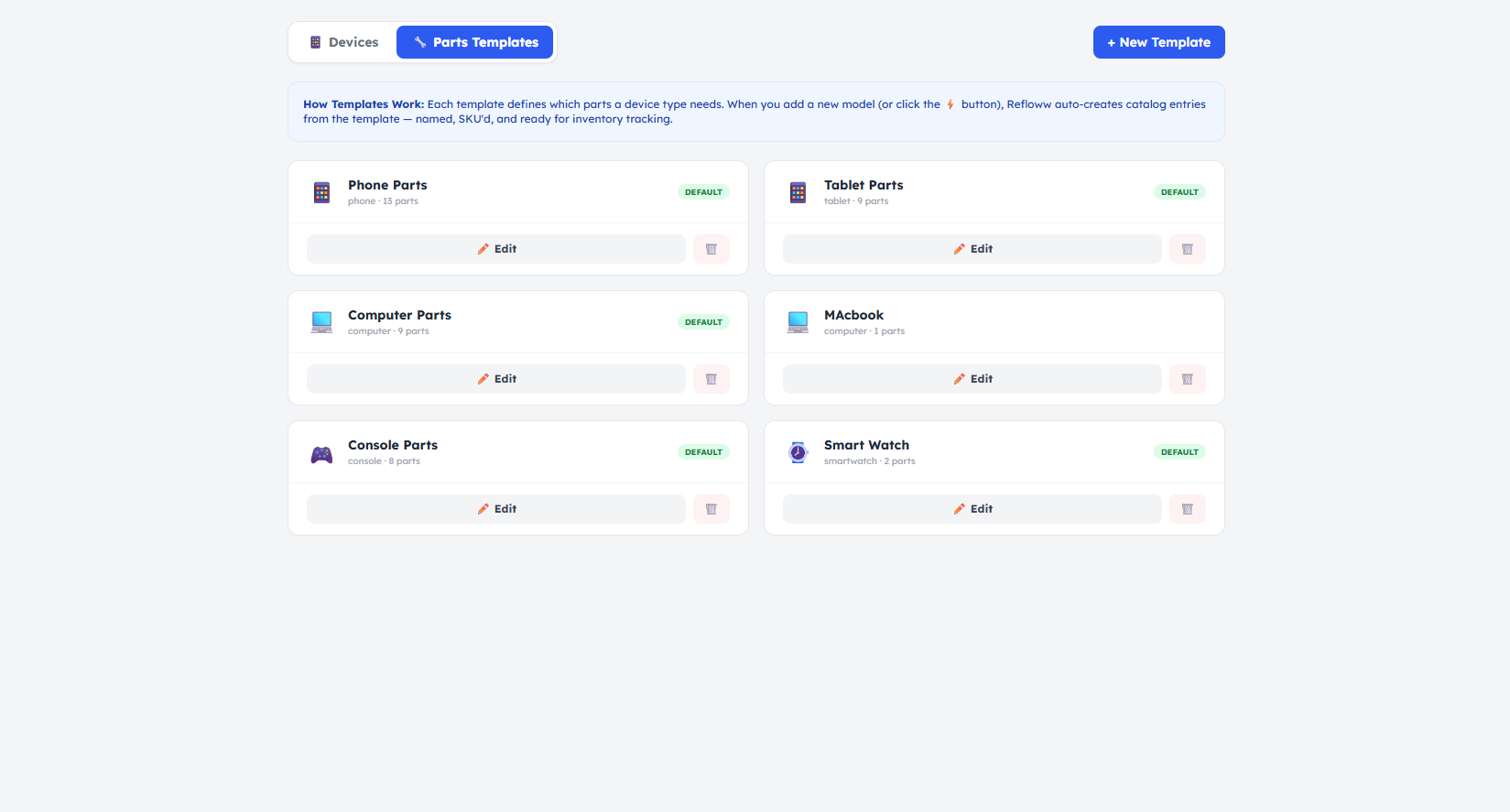
Parts Templates
Create reusable parts templates for each device type. When a new device is added to Device Manager, the system automatically generates the associated parts, saving time and keeping your parts setup consistent.
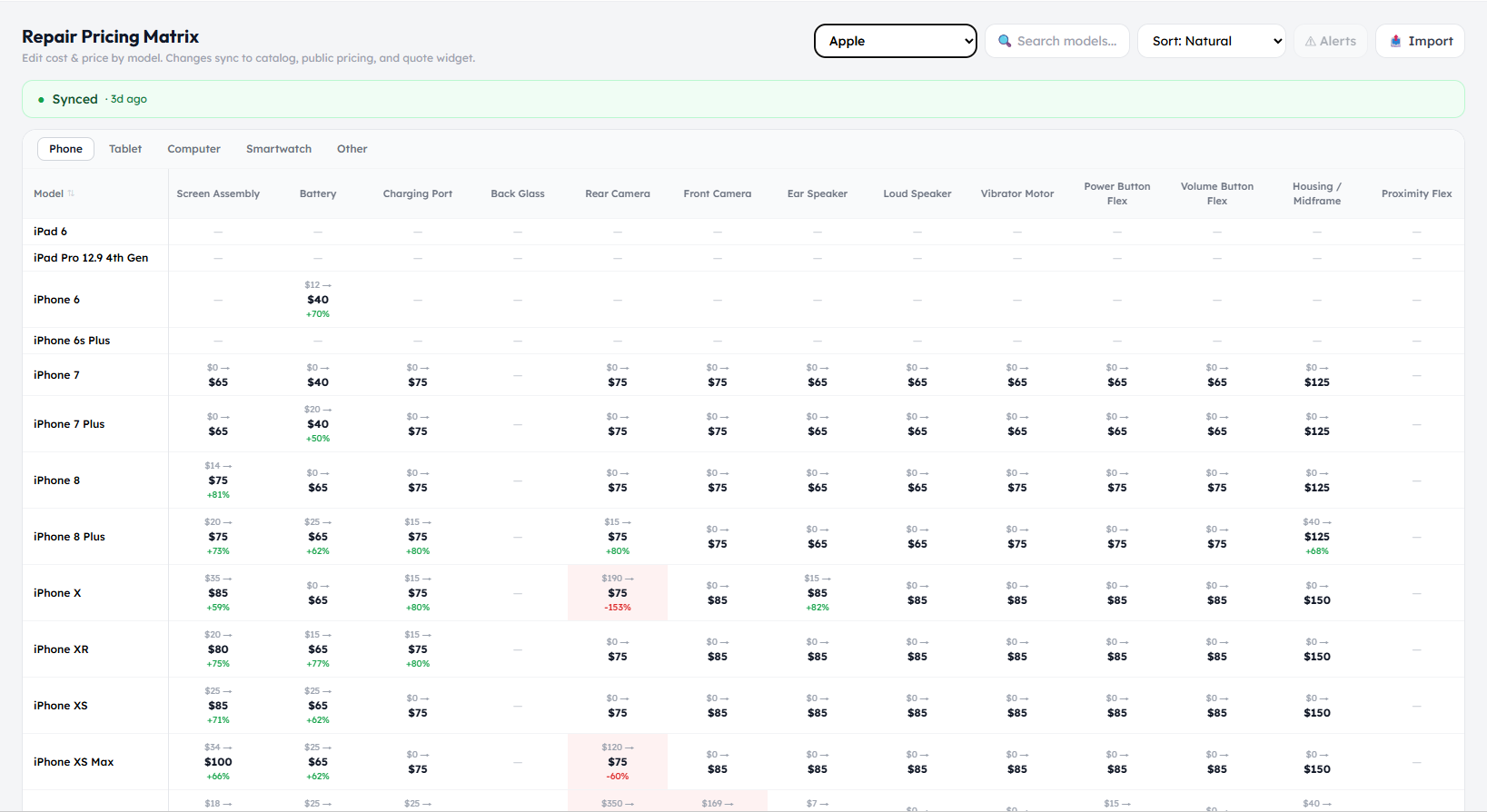
Pricing Matrix
Once your parts templates are generated, the Pricing Matrix lets you update pricing across every matching part at once, including all vendors and screen types. For example, if you carry iPhone 11 screens from multiple vendors, one pricing change can automatically update them all.
Customer Management
Everything You Need to Manage Customers
Keep all your customer information organized in one place. View contact details, repair history, purchases, notes, and device records so your team can quickly access everything they need to provide better service.
Simple Customer Navigation, Powerful Management
Quickly find customer profiles, repair history, purchases, devices, and notes through an easy-to-use interface. Everything is organized in one place, giving your team fast access to the information they need.
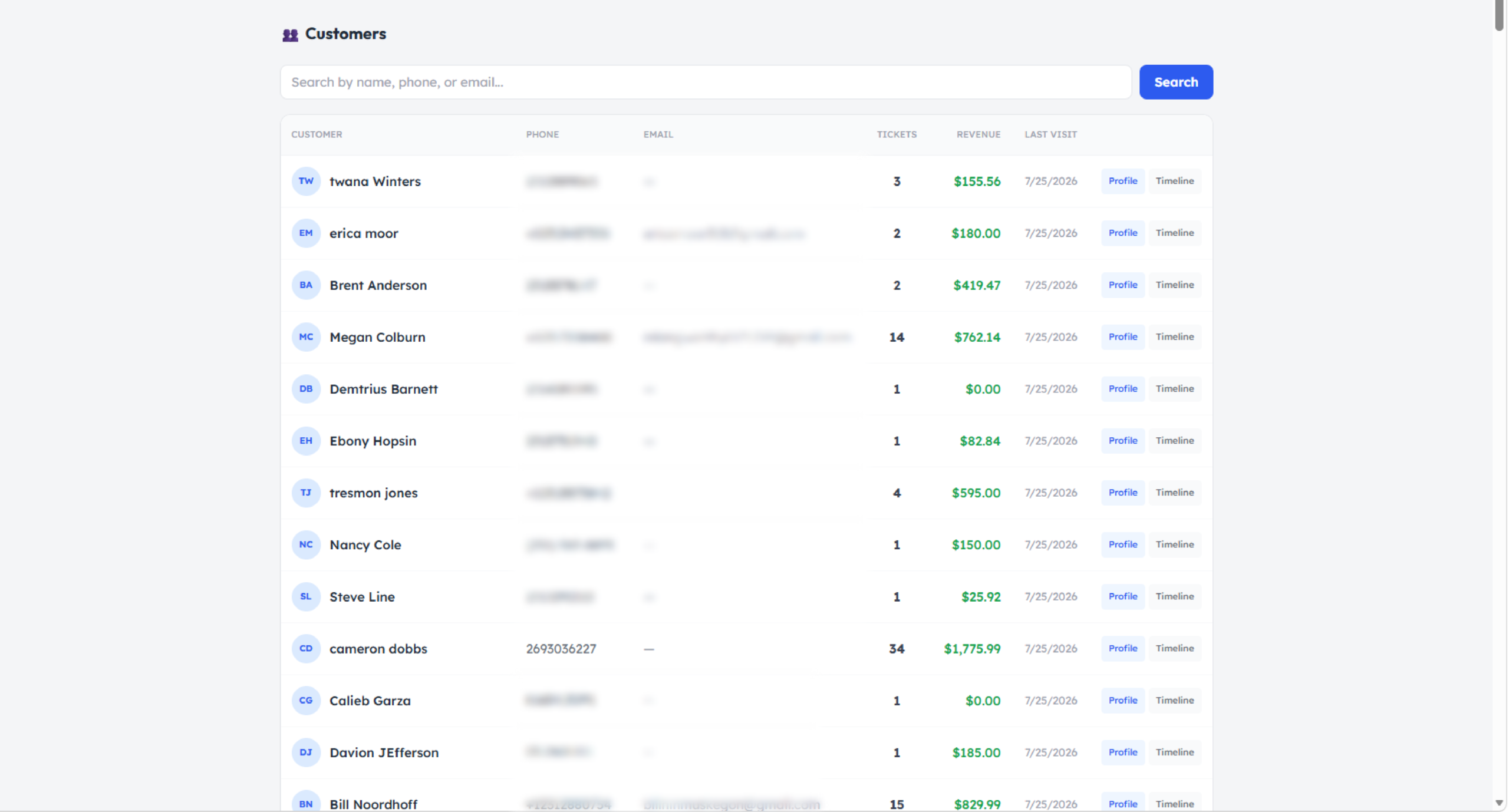
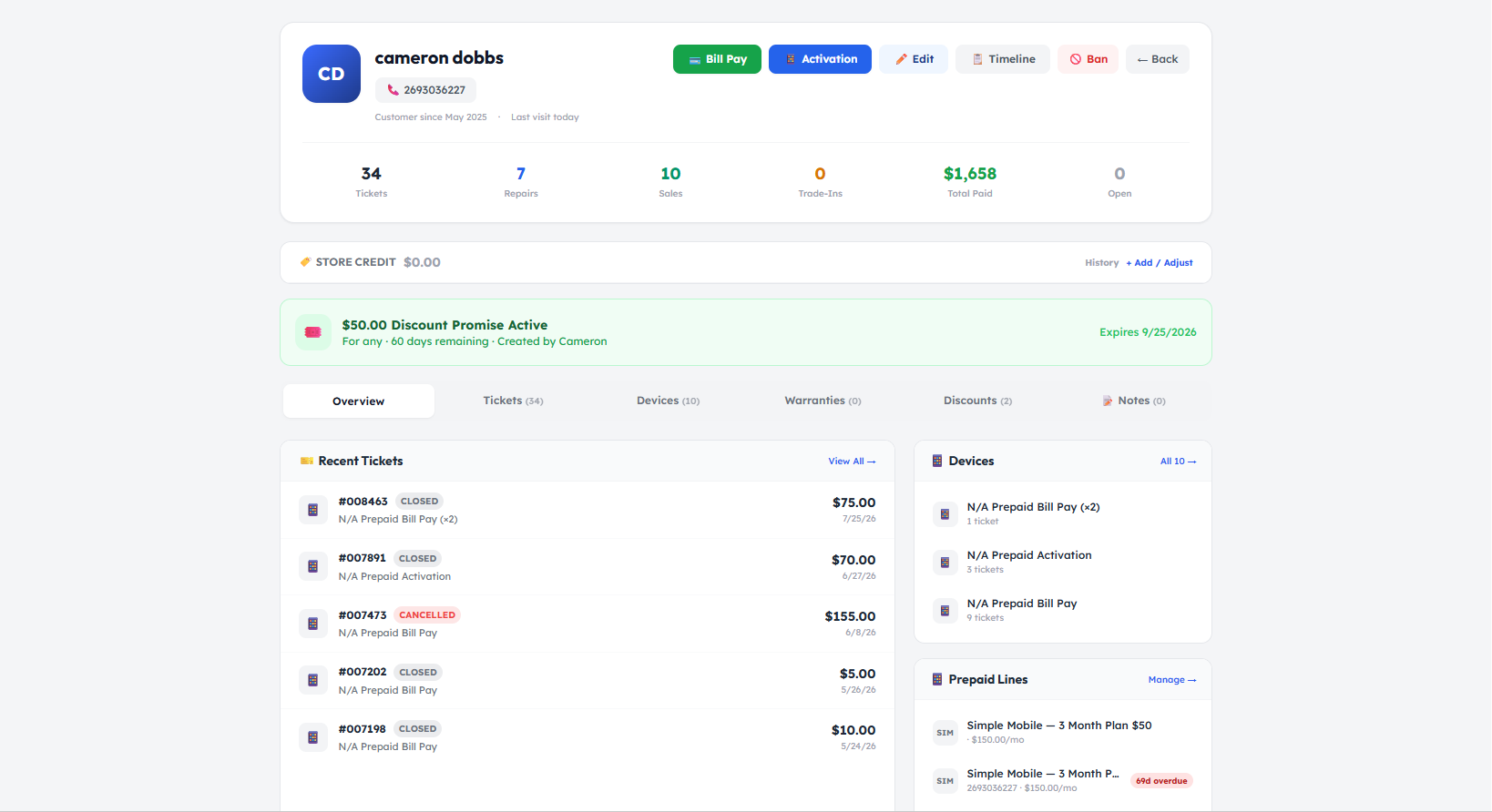
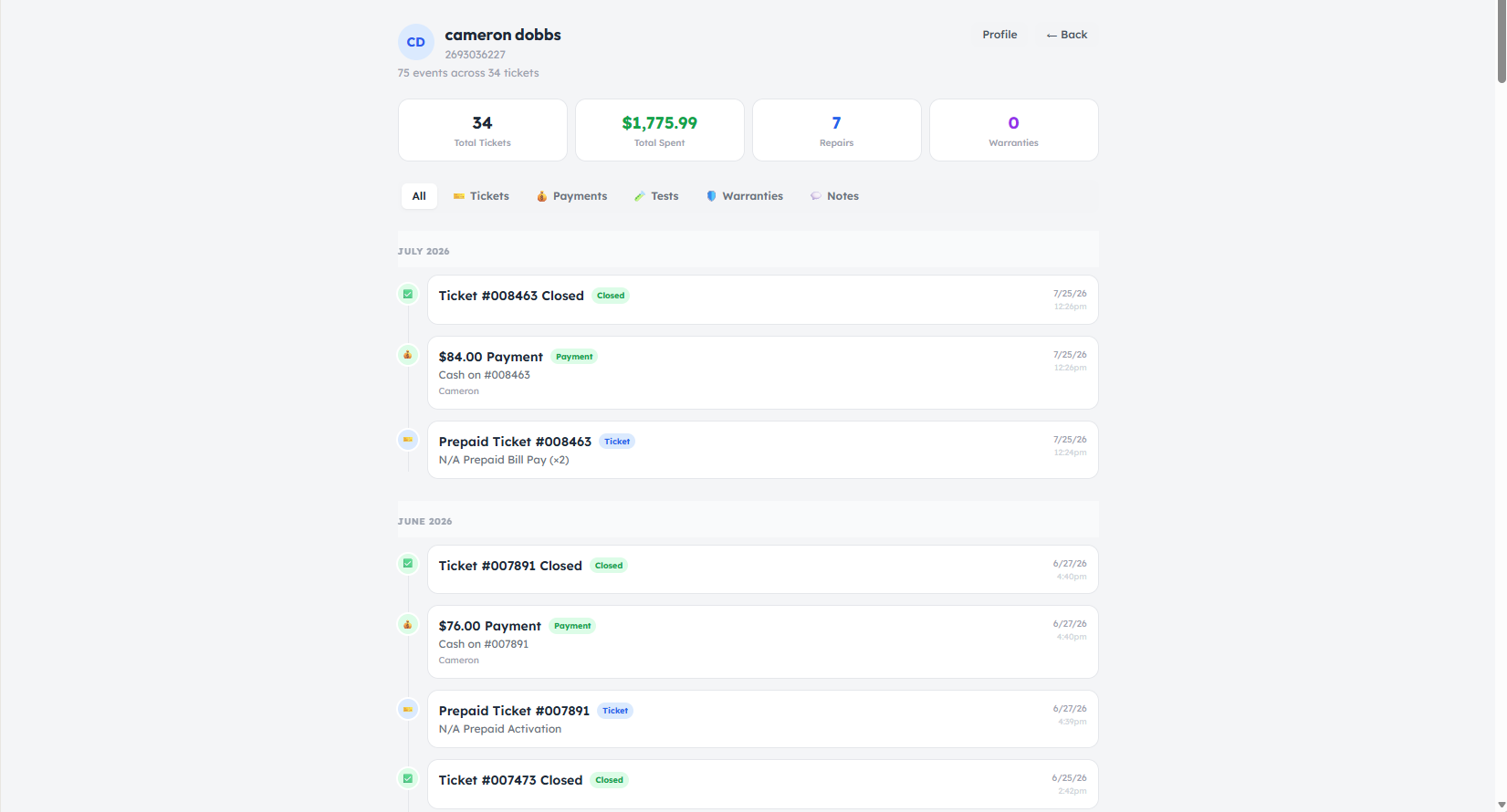
Two Powerful Customer Views
Switch between Profile and Timeline views to find exactly what you need. Profile view shows all customer details in one place, while Timeline view displays when every repair, purchase, update, and interaction happened.

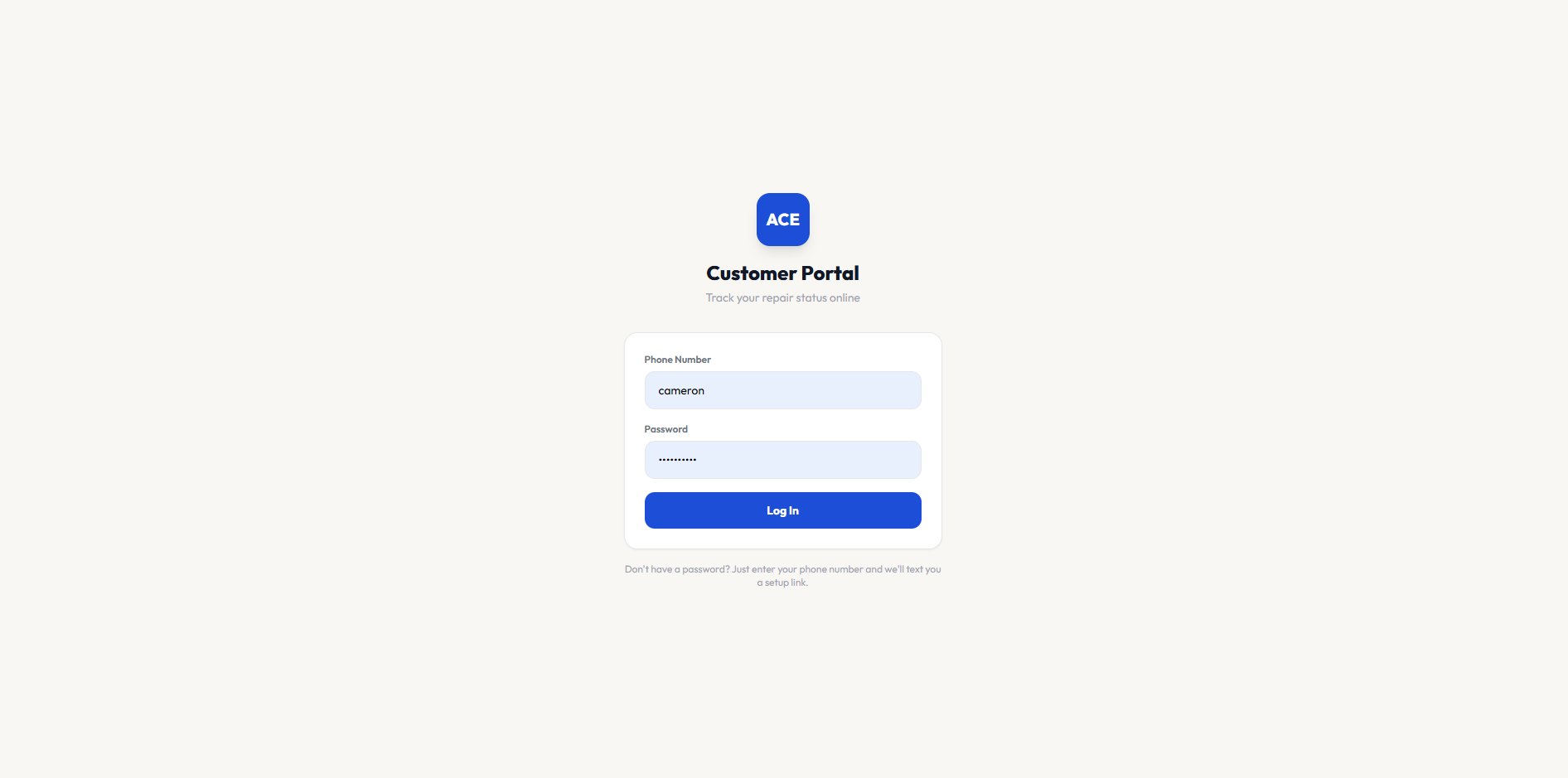
The Customer Portal Your Customers Deserve
Give your customers a simple, convenient way to manage their repairs online. They can check repair status, view invoices, pay for repairs, access device details, and submit new repair tickets all from one easy-to-use portal.
What's Different?
Inventory Management Made Simple
Track parts, products, and stock levels across your entire business from one place. Quickly see what is available, what is running low, and what needs to be reordered so your team always has what it needs.
Auto-Linking Catalog.
Print Every Label
Supplier PO Import
Ticket Syncing
Partial Order Receiving
Quick Audit System
SO MUCH MORE
Two Inventory Types:
Devices and General Inventory. Devices are tracked individually with details like serial number, condition, model, and sales status, while everything else, including parts and accessories is tracked by quantity and stock level.
Devices
Everything Else
Simple Ordering System
Devices and General Inventory. Devices are tracked individually with details like serial number, condition, model, and sales status, while everything else, including parts and accessories is tracked by quantity and stock level.
Needs Ordering
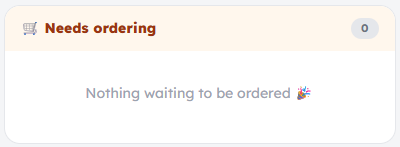
All items including devices, parts, accessories, and even custom items show up here. Keep track of all them items you need to order in one place.
On Order
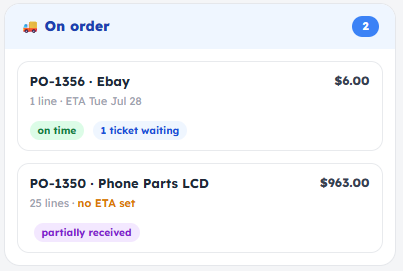
This is where all the items that have a purchase order, and have been ordered sit.
Recieveing
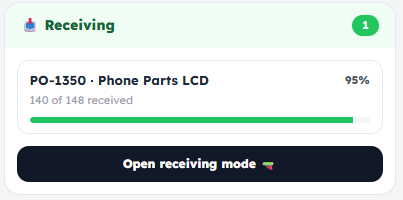
This is where partially received purchase orders are managed. Receive and update the items that have arrived without waiting for the rest of the shipment, so there’s no need to hold up an entire order just because a few batteries or parts are still on the way.
The Worlds First
Web-Based Wireless Device Testing
No Computer or USB Device Required
Run device tests without a computer, USB cable, or secondary device. Everything works wirelessly through the web for a faster, simpler testing experience.
No Stolen Device Protection Interruption
Because testing is completely wireless and requires no USB connection, Apple’s Stolen Device Protection won’t interrupt or delay the testing process.
Test Right From the Device
Run diagnostics directly from the device itself—no computer, USB cable, or additional hardware required. Simply open the web-based testing tool and get started.
Full Android & iOS Compatability
Test a wide range of Android and iOS devices through one seamless platform, giving your team consistent diagnostics across both major mobile operating systems.
Built in Panic Analyzer With Community Database
Quickly analyze device panic logs with a built-in Panic Analyzer powered by a community-driven database. Identify common issues faster, compare known results, and make more confident repair decisions.
Testing Report Designer
Create fully customized testing reports with your own layout, branding, test results, and customer details. Design professional reports that match your business and clearly show every test performed.
Pre & Post Test Functionality for Repairs
Run pre-repair and post-repair tests to document a device’s condition before work begins and confirm everything is functioning properly once the repair is complete.